


Physical access security vs. Flipper Zero

Physical Access Security vs. Flipper Zero
In August 2022, the Flipper Zero tool was released, capturing the attention of enthusiasts in the fields of hardware, radio/wireless technologies, physical security and hacking, and raising questions within the community regarding its implications for physical security. What new features does this tool offer? Could it be built at home from individual components? Is that a good idea? … We’ll see.
 Non-destructive
deterrence of
rodents,
wildlife
and snakes.
The Flipper Zero is a unique combination of several wireless communication technologies in a small device that is reliable, has well-optimised software, and even lets you have fun with your own virtual dolphin – something that evokes a sense of nostalgia, particularly amongst those in the community who experienced the original Tamagotchi.
The man behind the creation of this tool described it as follows:
“It is a Tamagotchi cyber-dolphin with its own personality, which can live in your pocket, and at the same time it’s a Swiss army knife for pentesters.”
I recommend reading the series of articles on the development of Flipper by its author, which is available here:
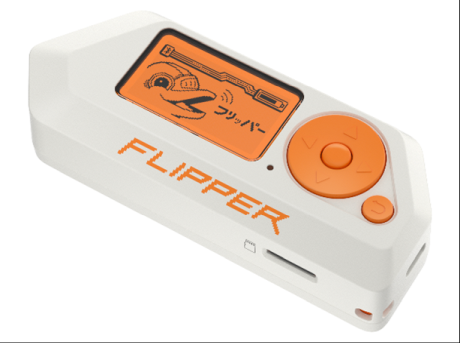
Flipper is capable of reading, writing and emulating various types of frequencies and protocols typically used to secure physical access to, for example, buildings or cars. However, they can also be used for contactless payments.
These technologies and the means to analyse and manipulate them are nothing new; they have been around for many years, and we have already explored some of them here at HackingLab:
However, working with them has so far been rather impractical and has required both specialised hardware and a fair amount of skill and know-how.
However, Flipper has succeeded in making these technologies accessible to the masses through simple tools. Not to mention that it also includes other special features such as Bad USB and U2F. There is also a handy mobile and desktop app that can be used, for example, to update the firmware or browse stored files.
We will describe the individual components that Flipper can work with below.

Physical Security
The main issue associated with this device is physical security. For access to buildings, cars, lockers in changing rooms, garages and many other areas, some form of access card or transponder is most commonly used.
The problem is that, in most cases, the security of such cards and access systems may not be of a high standard.
The simplest case, which is also very widespread, is a card containing a unique identifier which the reader scans; if it recognises the identifier, it grants access. This identifier is transmitted unencrypted and can be replicated. Typically, these include 125 kHz RFID cards, iButton keys, some NFC cards and also some 433 MHz transmitters. These are all technologies that the Flipper Zero can handle. Using this device, it is therefore very easy to read such a card and subsequently emulate or clone it.
Of course, there are also more secure protocols and approaches based on these technologies, which already implement encryption or so-called ‘floating keys’. Our device simply cannot cope with these, although firmware modifications for the Flipper Zero are appearing that implement certain attacks.
Hardware
If you manage to catch a moment when the Flipper Zero isn’t sold out (it was practically unavailable for half a year), the price will be around €170 + VAT + delivery (*2023).
Is there an alternative if we want to delve into the world of wireless communications and physical access security without relying on this device?
The Flipper Zero contains the following modules:
- 125 kHz RFID
- NFC
- Sub-GHz
- Infrared
- iButton
- Other
- BadUSB
- U2F
- GPIO
- Bluetooth
Components
All the types of communication that the Flipper Zero can handle are well known and have been in widespread use for quite some time. So let’s try putting together our own set of components that will support the same communication options.
In many shops selling electronic parts and components, it is possible to buy these parts separately and assemble a device at home that will replicate the functionality of the Flipper.
Arduino Nano
As the core and ‘brain’ of the device, we could use, for example:
- Raspberry Pi / Raspberry Pi Zero
- ESP32
- Arduino / Arduino Nano
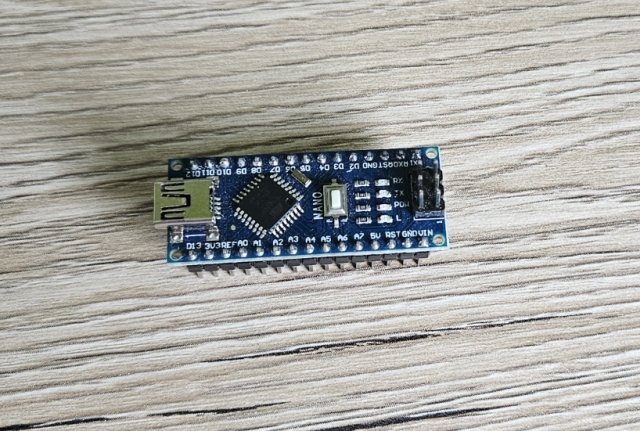
For our demonstration, we’ll use the Arduino Nano because of its small size, availability and low price. If we wanted to add Wi-Fi and Bluetooth modules to the device, we could use the ESP32 chip or (currently hard to come by) the Raspberry Pi.
There are numerous libraries and ready-made examples available for the Arduino for working with the components we’ll be using. It will therefore be easier to work with them from a software perspective, and the amount of code that will need to be modified or written for a simple demonstration is minimal.
 http://flipperzero.alibaba.sk/
125kHz RFID
The use of low-frequency RFID cards for access to buildings and premises is fairly common. As 125kHz RFID operates at a relatively low frequency, it has limited range and sensitivity; therefore, readers must be positioned sufficiently close to the object being identified. For access control purposes, the chips can be used, for example, in the form of cards or key fobs.
The technology is cost-effective and easy to use, but is not considered secure. These cards are often vulnerable to various types of attacks, such as eavesdropping or cloning. To enhance security, cryptography should be employed, thereby reducing the likelihood of unauthorised access. It is also important to have policies in place for the management and protection of RFID cards and access codes to minimise the risk of these cards being lost or stolen.
We can use the RDM6300 component as the reader for our device
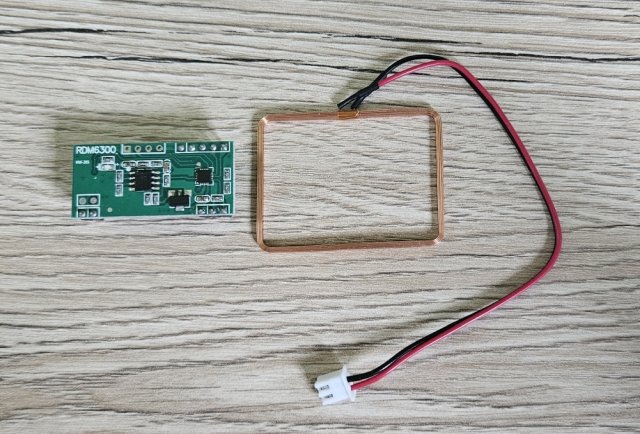
The copper coil from the used module will serve as our antenna. The relatively simple code below will enable us to retrieve the identifier stored on the card:
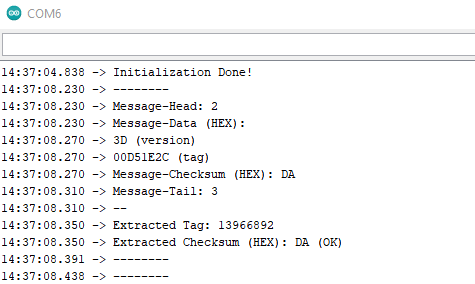
We can then upload the code we have captured in this way to a special rewritable T5577 RFID card, or emulate it using another device or module for Arduino (the RDM6300 reader itself does not support emulation).
The software used with the Flipper Zero allows us, with just a few clicks, to read these cards, save them to memory and emulate them, or write them to a new card.
Further information on implementation can be found here:
433 MHz Sub-GHz
433MHz communication is used for various purposes, such as gate control, communication in various industrial applications, or for car access control. This frequency has several advantages, including the ability to penetrate walls and obstacles, which allows for a greater range and signal transmission over longer distances.
Depending on the implementation of a particular system, the level of data transmission security may vary. If data is transmitted without encryption and without protection against so-called ‘replay’ attacks, an attacker can easily gain access to the systems secured by this technology.
To receive and transmit signals in the 433 MHz band, we will use the ‘RF 433 MHz Transmitter/Receiver Module’ component in Arduino.
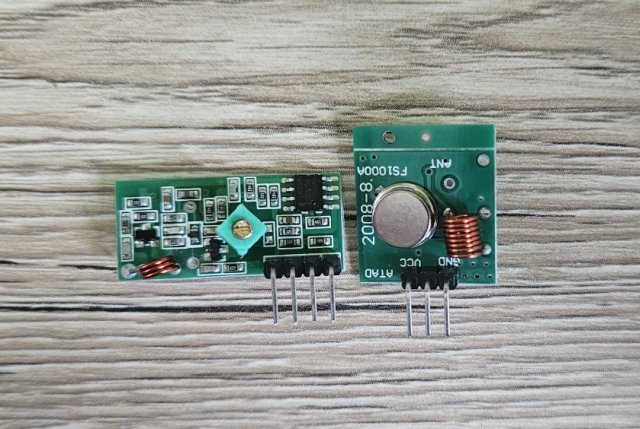
As an example, we’ll use a lighting controller that I happened to have to hand. Using the code below, we can capture the signal to switch the light on and off and then emulate it:
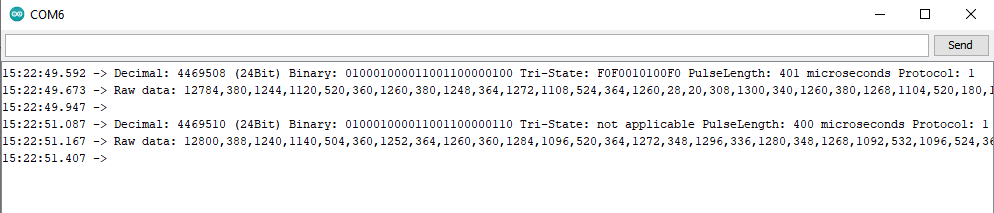
Even with this small receiver, it is possible to pick up a signal and transmit it over a distance of more than one metre.
The Flipper software makes it easy to receive and transmit signals and, of course, to store them in memory. In addition, it allows, for example, frequency analysis, the recording of sequences of multiple signals in succession, and various adjustments to the receiver and transmitter configurations.
Further information on the implementation can be found here:
iButton
The iButton is a small, durable device that is often used for contactless identification and access control to buildings and premises. The iButton contains a unique identifier which is used to verify the identity of a person attempting to gain access. Access control often utilises an integrated system capable of verifying a user’s identity based on this identifier and assigning them access rights. Communication uses the so-called 1-Wire protocol, which is simple to implement and requires only a single wire for data transmission.
To receive and transmit data using the 1-Wire protocol, we will use the ‘TM probe DS9092’ component in Arduino for easier handling. However, it would be sufficient to use just one data cable and one ground cable.
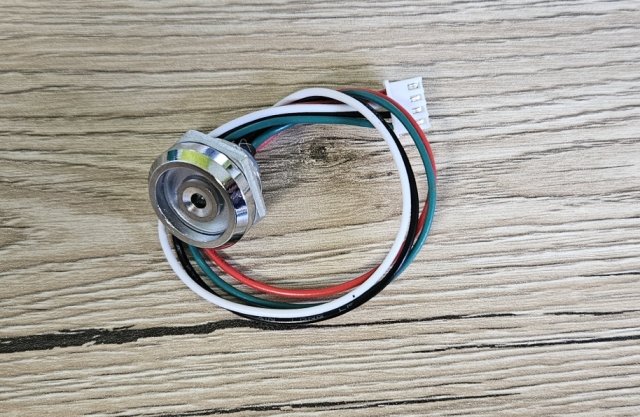
Using the code below, we can read iButton identifiers or, if necessary, clone them onto a rewritable RW1990 iButton:
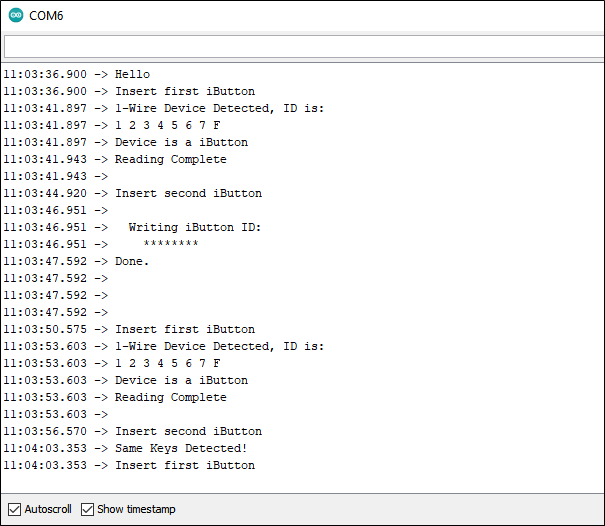
Further information on the implementation can be found here:
Infrared (receiver)
Infrared (IR) communication is used for various purposes, such as data transmission and controlling devices such as televisions, audio systems and air conditioning units. Infrared remote controls are simple and inexpensive, and allow you to operate devices that have a built-in IR receiver. On the other hand, IR communication has its limitations, such as the need for constant line of sight between the transmitter and receiver and a limited signal range. It is therefore used where high data rates are not required and the transmitter and receiver are in the same room or close to one another.
Data is typically transmitted unencrypted and can therefore be easily intercepted and replayed. However, this technology is not typically used for access control, so attacks do not have a significant impact. We can, for example, change TV channels, adjust the air conditioning settings or switch the lights on and off.
To receive IR signals, we will use the VS1838B component in the Arduino.
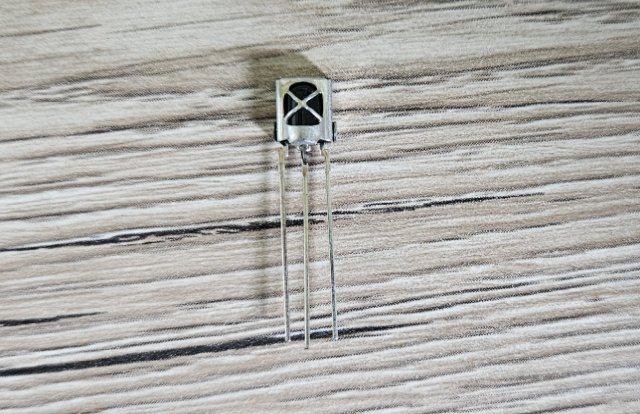
This is just a receiver, so we won’t be able to send any signals in this example. Using the code below, we can detect the signal to switch the TV on or off:
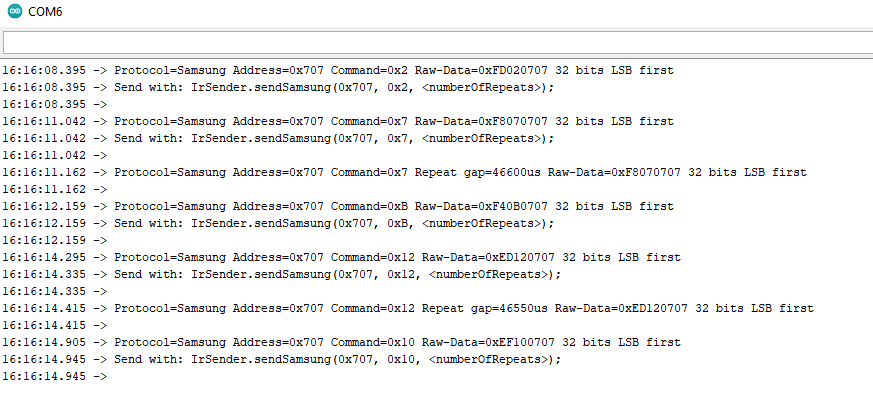
Flipper’s software has various universal remote controls for TVs, air conditioning units, projectors and audio players stored in its memory. This means that, in most cases, Flipper will be able to control these devices without you first having to capture the signals. It also has the ability to learn and store a new remote control in its memory by capturing IR signals.
Further information on implementation can be found here:
Summary
The total cost of the components we’ve mentioned, excluding minor items such as a development board and connection cables, would be roughly €25–40, depending on the exact type chosen (some of the items listed may not support all the features offered by the Flipper). The problem arises if you want to integrate this into a single small portable device. Even the wiring on a breadboard is already starting to get rather messy:
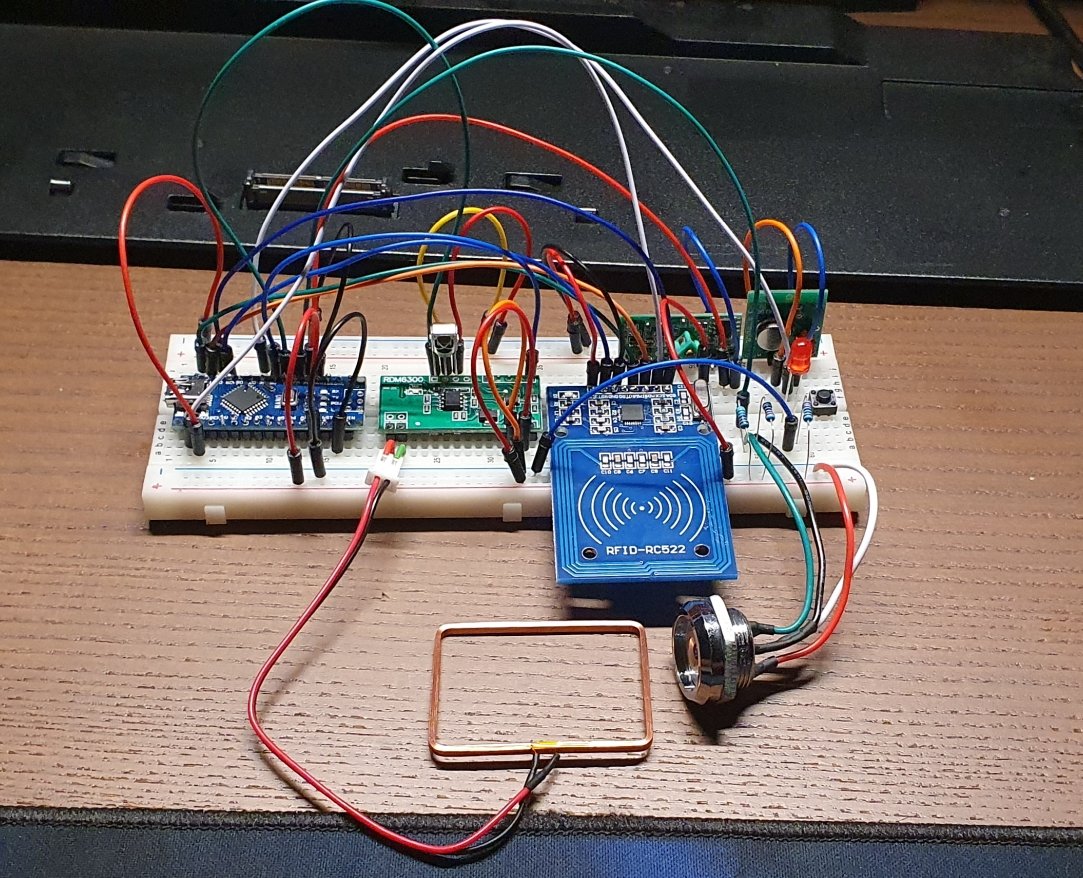
Of course, the Flipper Zero features other components that we haven’t included, or uses custom-designed components so that they can be fitted into the device’s relatively small body. These include, for example, storage, the battery, hardware buttons and the LCD display. The complete schematic for the Flipper can be found in its documentation.
If we also factor in the time taken to develop reliable software that supports all the advanced features, the development of custom components and the PCB, and the Flipper’s design itself, I think its price tag is fair.
In my view, the software is one of the biggest ‘selling points’ of the Flipper Zero. Developing software that will communicate reliably with all the modules, be easy to use and customisable, takes a great deal of time. Another piece of great news is that the software is open source.
So, if we wanted to build a device at home that supported all the features we’ve mentioned, it’s possible but certainly not easy. Although all the components – and perhaps even most of the source code – already exist, you’d have to piece them together yourself and get them up and running, which certainly isn’t for everyone. The Flipper Zero puts this possibility within everyone’s reach, and makes it simple.
Conclusion
This article was not an exhaustive overview of all the Flipper’s features. We wanted to highlight the fact that these technologies and the security flaws within them have existed for a long time, and that attackers have, even to this day, been able to exploit them using their own DIY components and tools.
Looking for further information and configuration options? Here you go…
Flipper is not intended to serve as a professional security testing tool. There are specialised tools in this field, such as Proxmark for testing RFID/NFC or HackRF One for testing a wide range of wireless signals.
What the Flipper Zero has changed is that it has made it easier for ordinary users – who would not previously have had access to such capabilities – to exploit these vulnerabilities. I’m not suggesting that this is its primary function, but as we’re on the HackingLab website, we’ll focus on the security implications.
In the world of software, it is common and desirable for tools to be available to test for security vulnerabilities. Here, however, it is (theoretically) easier to fix these vulnerabilities and roll out updates and patches globally. In the world of physical security, this can be a problem. Replacing the access control systems in millions of buildings is no easy task. If a device such as the Flipper Zero exists, which allows weaker security measures to be easily bypassed, security will have to be improved – which, on the one hand, is good news, but the question is how long this might take. In a great many cases, the user themselves cannot even fix the problem – for example, a flat tenant, a hotel guest, and so on.
