



How to protect WordPress from brute force attack

The Brute Force Attack is one of the most common attacks on WordPress sites. This is an attempt to guess the username and password and gain access to the WordPress administration.

WordPress itself does not limit the number of failed logins in the basic settings, and the hacker may have an unlimited number of login attempts. Therefore, it is good to deal with this protection of the website. Protection is also provided by large security plugins, such as Ithemes Sercurity, but in case you want to use only a small undemanding plugin, I recommend using the following for protection: WP Limit Login Attempts.
The plugin is located in the official plugin catalog and can be installed directly from the WordPress administration.
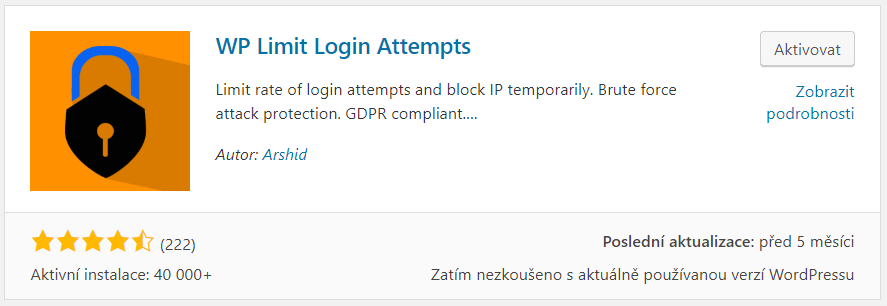
The plugin works immediately after installation and activation, but it also has a setting that you can customize. The setting is in Czech.
You can find it in Settings → WP Limit Login.
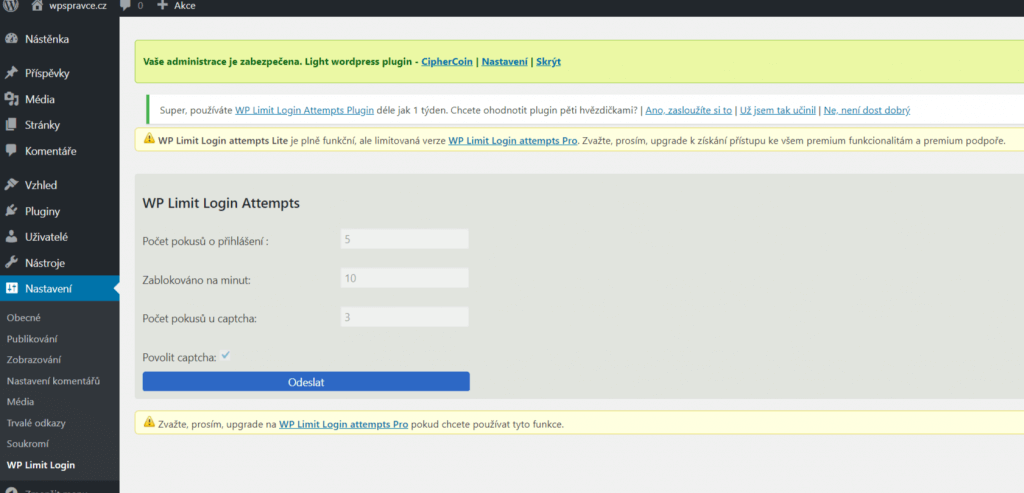
- Number of login attempts – the maximum number of login attempts before a ban is imposed.
- Blocked for (minutes) – the duration of the ban.
- Number of captcha attempts – the number of captcha attempts before a ban.
- Enable captcha – activates captcha before access to the login form.
If necessary, adjust the settings according to yourself, save everything and you’re done.
