How to enable the view of specific content (posts, pages) only to logged-in users in WordPress

Do you need to allow only logged in users to view specific content on a WordPress page? In this tutorial, we will show you how to achieve this.
 Nedeštruktívne
Technoogie
ktoré nikde nekúpiš.
We will need a plugin for this Content Control – User Access Restriction Plugin. The plugin is located in the official plugin catalog and can be installed directly from the WordPress administration.
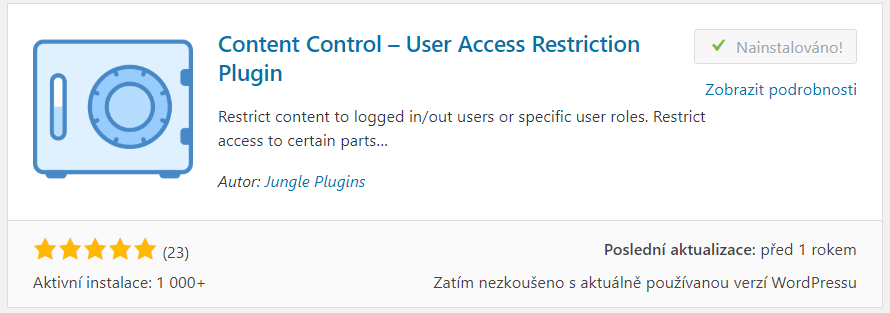
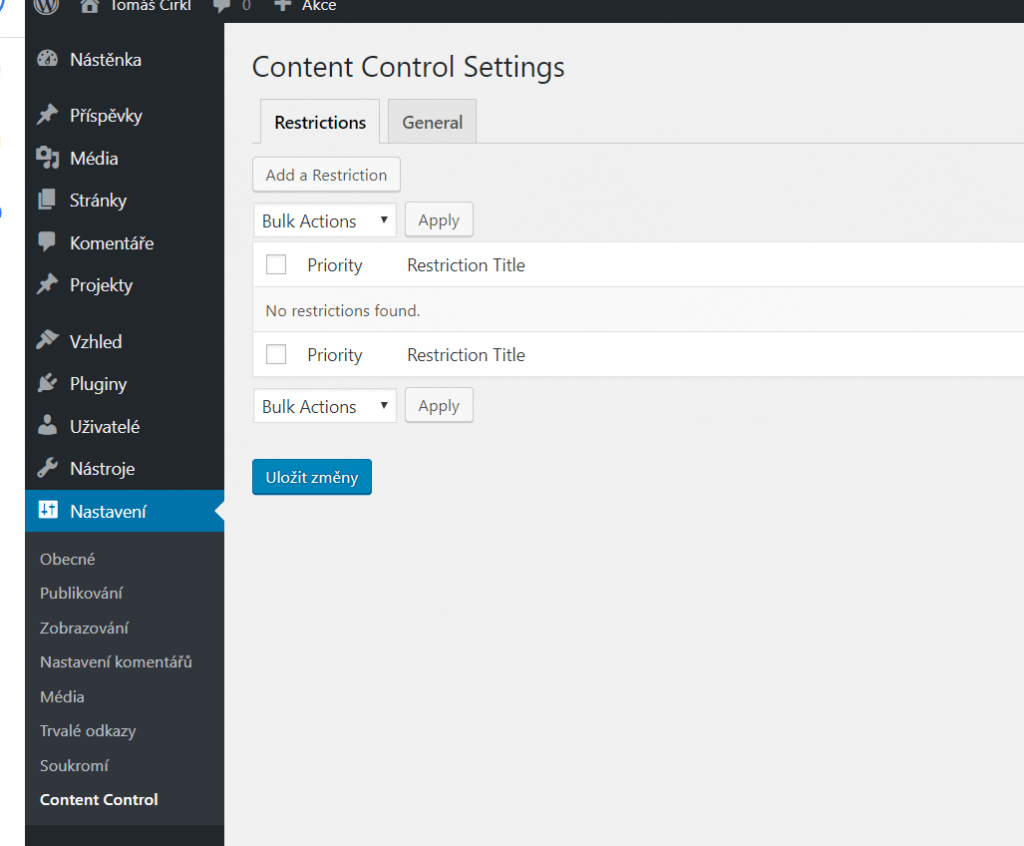
After installation and activation Go to Settings → Content Control.
Here you will find a list of all the restrictions that are set through the plugin. But they are not here yet, so via the button in the upper left corner Add a Restriction Start creating the first one.
The Restriction Editor appears, containing three setup steps.
The first step is the General tab.
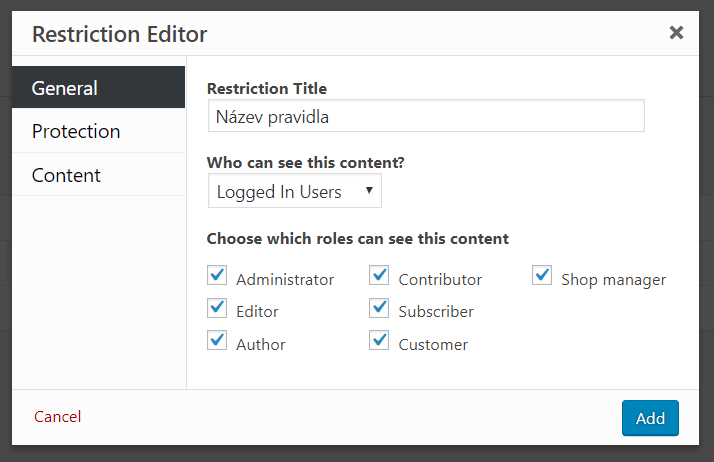
Contains field:
- Restriction Title – the rule name, used as your own label.
- Who can see this content? – choose whether protected content can be viewed by Logged In Users (only users who are signed in) or Logged Out Users (users who are not signed in).
- Choose whitch roles can see this content – if you select Logged In Users, you can specify which user roles can access the content.
Once you have set up, click on the tab Protection.
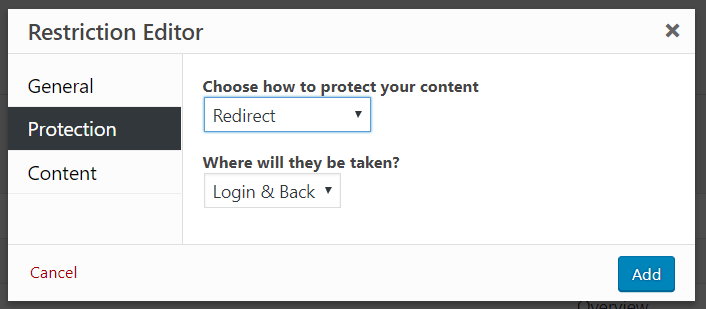
- Choose how to protect your content – choose what happens when someone without sufficient permissions tries to access the content.
You have a choice REDIRECT (redirection) and Custom Message (own message).
If you choose REDIRECT, the Where Will They Be Taken? dropdown lets you select where the user will be redirected:

- Login and Back – the login form
- Homepage – to the website home page
- Custom URL – to a custom URL you enter.
In case you choose Custom Message, two checkboxes are displayed:
- Show excerpts above access denied message? – should an excerpt be displayed above the message?
- Override the default message? – customize the message specifically for this rule.
The final step of creating a rule is to click on the tab Content.
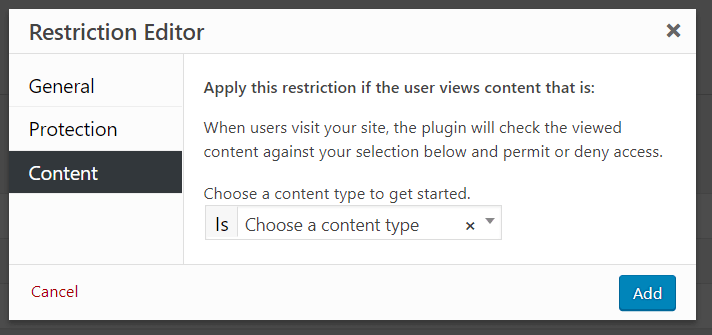
Here you just need to choose what content you want to protect. Click on the field Choose a Content Type A rich menu of rules for selecting content, whether general or specific, will appear.
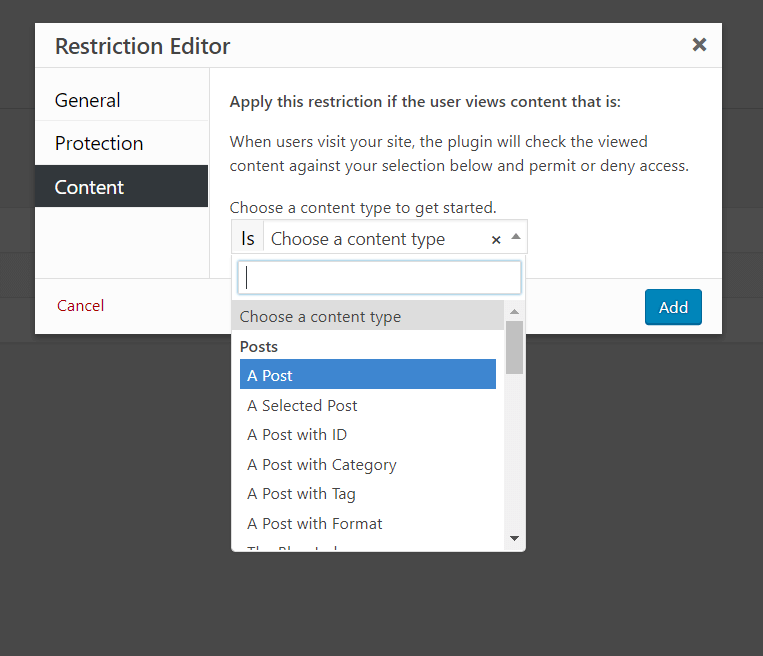
You can choose rules for posts, pages, categories, tags or custom post types. The selection can be general or specific by category, ID, tag, post format and many other parameters.
When you have everything set, click the button add, The rule will be created and the content will be protected.
Shortcode to protect part of the content
The plugin also contains a shortcode, to protect a specific part of the content, where the text inserted into the shortcode will only be displayed to logged-in users.
shortcode:
[Content_control]Content for logged in users[/ content_control]
Widgets
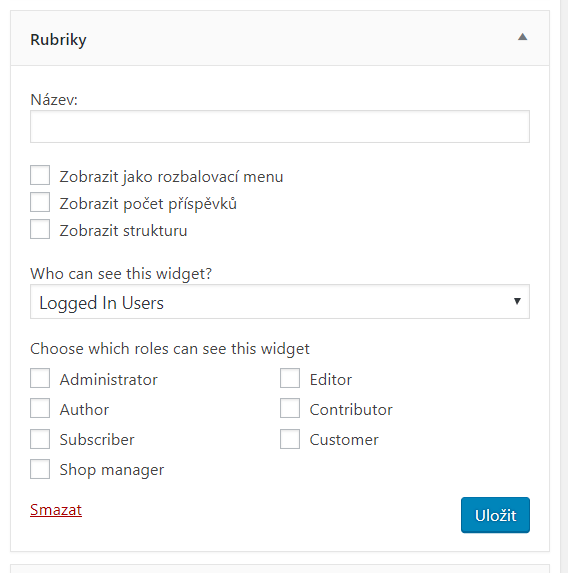
Next, the plugin adds the visibility settings of the widgets. A new field appears for each widget Who Can See This Widget?, where it is possible to set who will see the given widget.
You have a choice:
- Everyone – all users.
- Logged Out Users – users who are not signed in.
- Logged In Users – users who are signed in.