How to edit images directly in WordPress

WordPress can perform basic image editing through the administration interface. Specifically, it is trimming, turning, resizing and horizontal or vertical mirroring.

You can get into image editing in WordPress by selecting in the administration Media → Media Library and clicking the picture you want to edit.
A pop-up window will open with detailed image information, where, among other things, there is also a meta information of the image. Below the preview of the picture is a button Edit image, click on it.
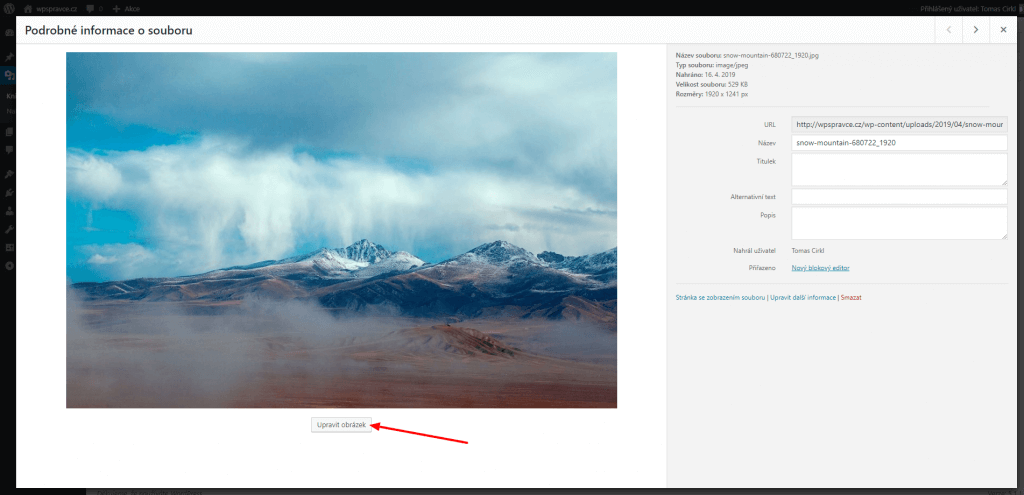
You will be taken to the image editing page in WordPress. The tools are divided into two places. Top bar with icons above image preview and right column.
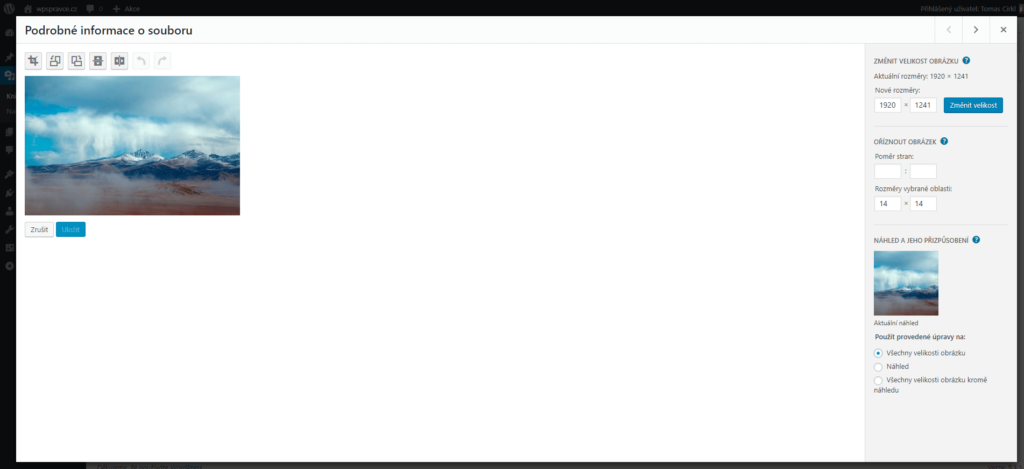
Left-to-right icons are:

- Crop – clicking the icon activates selection of the area you want to crop.
- Rotate counterclockwise
- Rotate clockwise
- Horizontal flip
- Vertical flip
- Undo
- Redo
In the right column you will find:
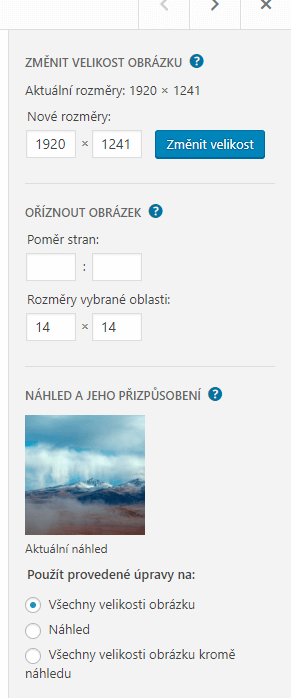
- Resize image – enter new values to resize the image. The aspect ratio is preserved, and the other dimension is always calculated automatically. You should never increase the dimensions.
- Crop image – lets you crop the image to the exact dimensions or aspect ratio you enter in the fields.
- Thumbnail and its adjustment – choose whether edits are automatically applied to all thumbnail images, only to the thumbnail, or to all sizes except the thumbnail.
Once you are happy with the adjustments, click the button Save. WordPress applies changes and saves a new copy of the image to the server.
How to return to the original image?
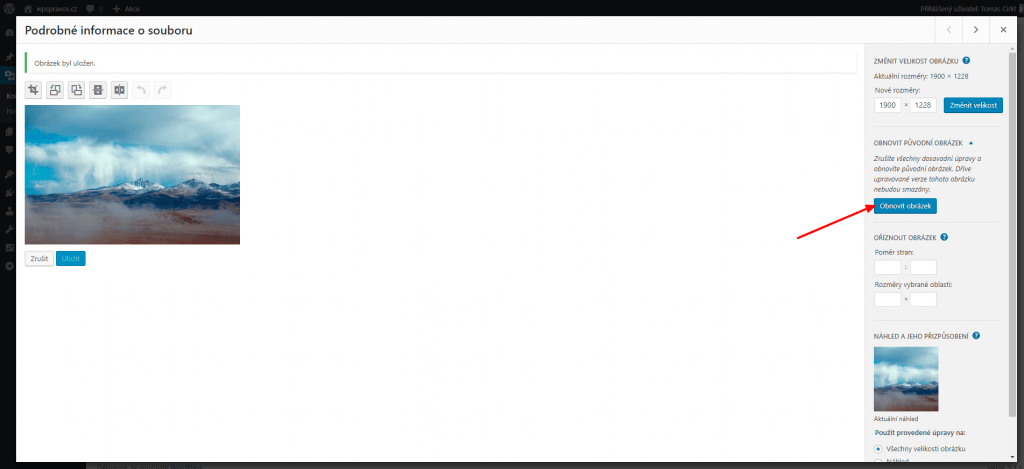
If you made a mistake somewhere or you just need to go back to the original image, then there is a function Restore the original image, which is displayed for edited images.