



How to create a list of all posts

A page with a list of all posts is very often part of the website settings on WordPress. This page is most often called a blog, but we often find it under the name News or News. According to the template used, there are two options to create a page, either use Page Templates or Web display settings, which WordPress itself already contains.
 Nedeštruktívne
Technoogie
ktoré nikde nekúpiš.
At first Create new page and name it. To create a new page, select an item in the left menu pages -> Create a page.
While you are creating this page, see if in a box Page Properties There is no template Blog (or something like that). If so, select this option and page Publish.
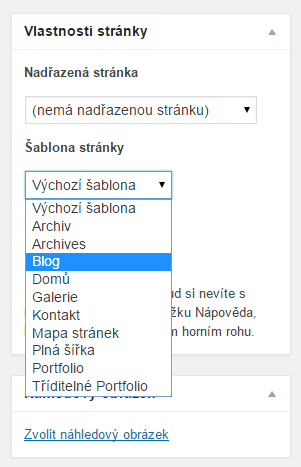
If you don’t find a blog there, publish the site and go to Settings -> display.
at the first item On the home page View Select static page. They are activated Options below and on the list Post page: Select the page you created. Finally, click the button Save changes.
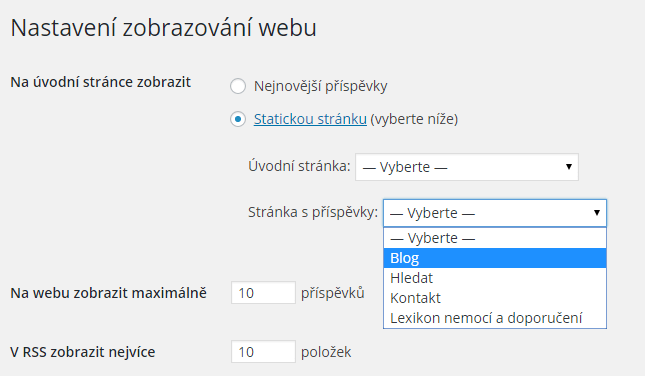
Now it’s enough insert page to menu and start writing posts.
