


How to Automatically Rename Uploaded Pictures to WordPress

Images often have completely incomprehensible names, for example, generated by the camera or phone that created the photo. These names are not user-friendly and are terrible for SEO. In this article we will show a quick way to rename pictures, that are uploaded to WordPress Media libraries.

Images on the web They can also help to increase search engine traffic. It’s enough if they have Simple, thematic name. For example, wordpress-navody.jpg and not 1458712.jpg.
By default, WordPress allows you to change the meta information for images uploaded to the media library.
We will need a plugin to automatically change the name of the uploaded file Media File Renamer. The plugin can be found in the official plugin directory and installed directly from the WordPress administration.

After installing and activating the plugin It works immediately and there is no need to set anything.
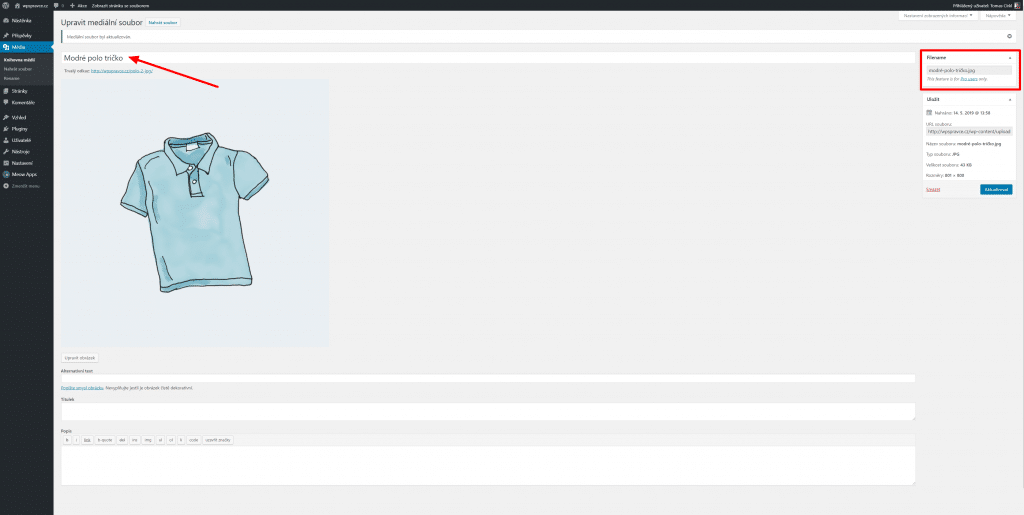
The file name is automatically generated from the title entered for the media file.
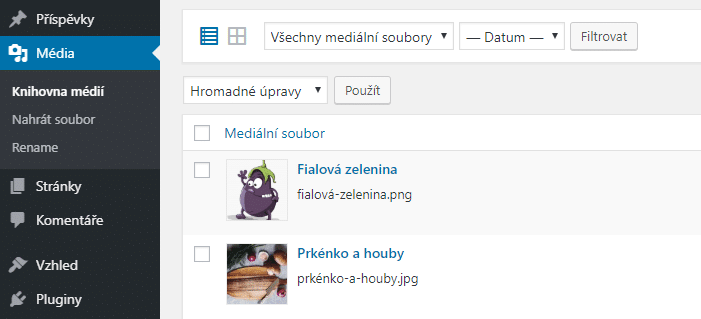
If this parameter is not specified for the media item, you must first fill it in.
Do this by clicking the Edit link next to the media item and entering the title at the top.
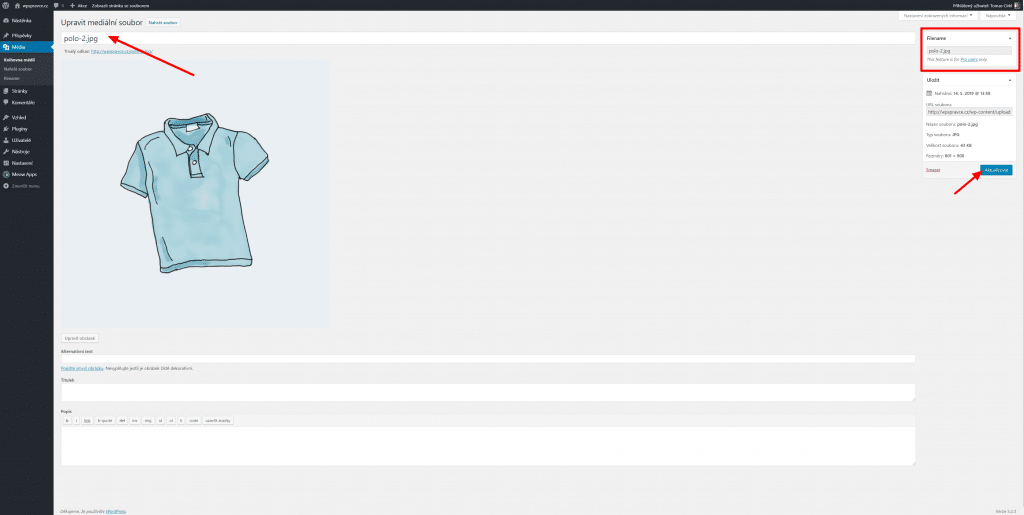
After filling in, just click the button Update And the image is automatically renamed.
Mass change of image name
The Media File Renamer plugin can also rename all images in bulk. This is useful if you configured image SEO and filled in their metadata when uploading them.

Under Media → Rename, you will find simple settings for starting the renaming process.
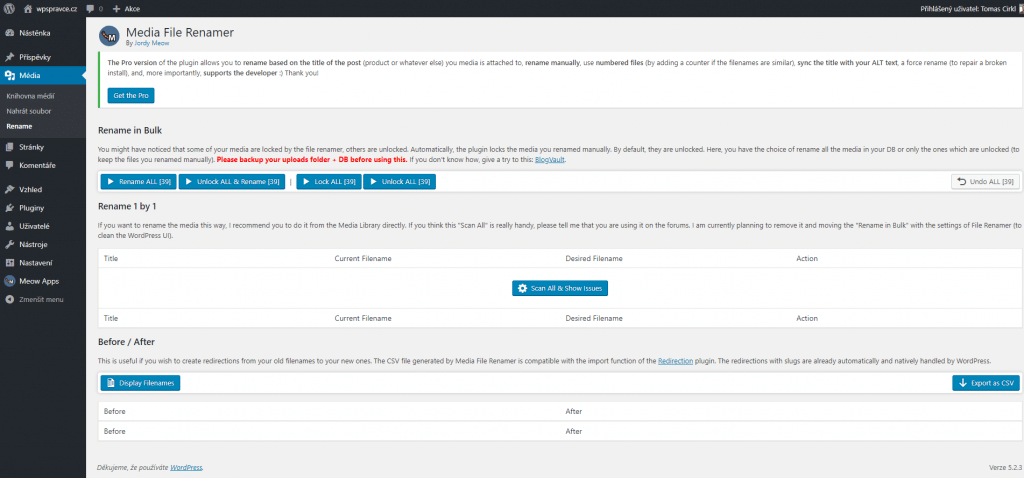
It is recommended to back up WordPress before making bulk name changes.
To start generation, click the button Rename All And the plugin will go through all your images and rename them by their name.
